Net Pay Adjustments
Use the Net Pay Adjustment procedure to pay employees more than once within the same payroll period. This most often happens when salaries have already been paid, but it is later discovered that an additional payment must be made (e.g., missed overtime, an allowance, or a bonus), or when updated tax parameters affect previously paid amounts.
The first payment represents the original Net Pay amount for the period. The second payment is a revised Net Pay amount that takes into account the adjustment while ignoring transactions that have already been paid.
Prerequisite: Transaction Code Setup
Before processing an adjustment, you must ensure the specific transaction code is configured correctly. Please refer to Net Pay Adjustment Transaction Code creation for step-by-step instructions on creating this code.
Processing a Net Pay Adjustment
Single Currency Processing Procedure
-
Ensure the Net Pay Adjustment Transaction Code is created (default code 975).
-
Go to Utilities → Netpay Adjustments.
-
(A reminder will prompt you to take a backup first).
-
The 'Net Pay Adjustment' code will be automatically selected. Click Process.
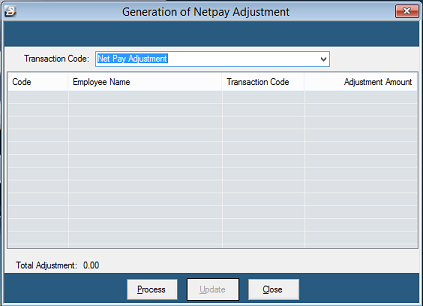
-
A Range Selection screen displays. Press OK to select all, or make necessary filtering selections.
-
A list will display employees with their appropriate Net Pay Adjustment amounts (the Net Paid amounts already disbursed in the first run).
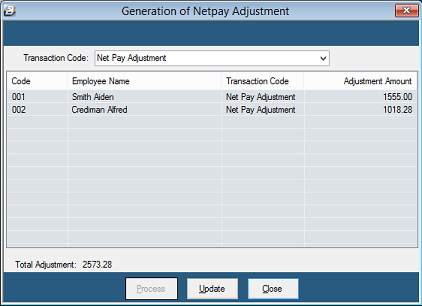
- Verify the amounts, then click Update. A 'Netpay Adjustment Completed' message will display.
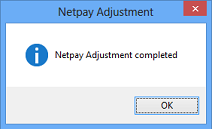
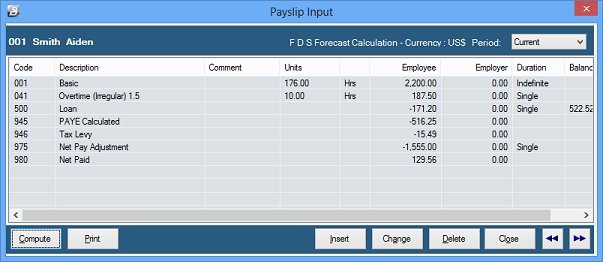
- Go to the employee's Payslip Input screen to verify the adjustment is present.
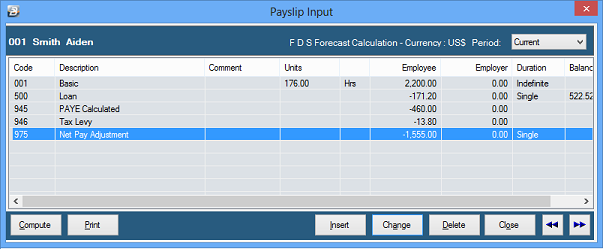
-
Process the additional transactions (e.g., Overtime).
-
Run the Calculate Tax Routine. The new 'Net Paid' amount will relate only to the new transactions, and the PAYE/Tax Levy amounts will adjust accordingly.
Multicurrency Processing Procedure
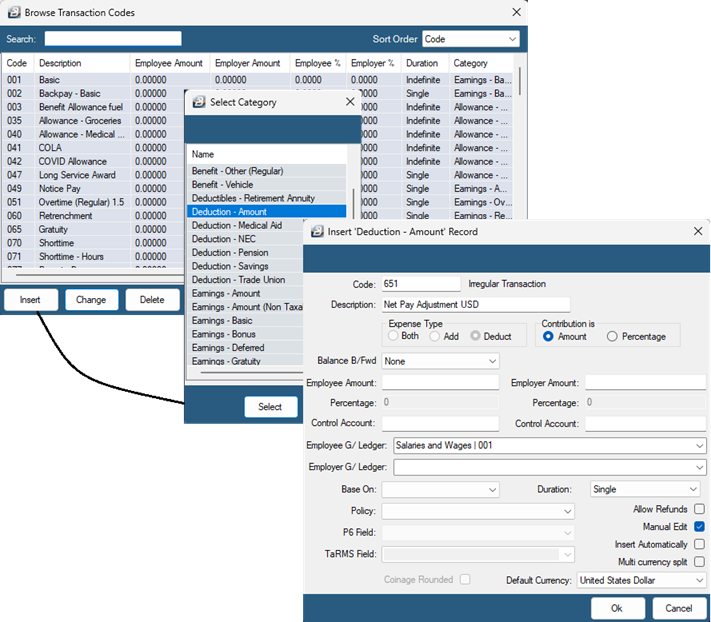
In a multi-currency payroll, you must create two separate transaction codes: one for USD and one for ZWG.
- Go to Edit → Transaction Codes.
- Click Insert and select the 'Deduction-Amount' transaction category.
- Enter an appropriate Description that clearly identifies the currency (e.g., "Net Pay Adjustment USD").
- Click OK to save. Repeat these steps to create the code for the second currency (ZWG).
- Once created, process the adjustments using standard methods such as Payslip Input, Speed Input, or Excel Imports.
Bonus Payments in the Current Period
While bonuses can be paid in dedicated bonus periods, you can also use this adjustment method to process them in the current period:
- Pay the employee for the standard payroll transactions in the current period.
- Process a Net Pay Adjustment (using the steps above).
- Process the bonus amounts onto the payslip.
- Run the Calculation Routine and print payslips.
- Result: The payslip will show all transactions for the period, what has already been paid, and what should now be paid (net of tax) for the bonus.
Was this page helpful?