TaRMS Reporting
TaRMS (Tax and Revenue Management System) is ZIMRA's system for controlling the receipt and audit of PAYE amounts deducted from employees. Every month, employers upload a TaRMS report — produced by Belina — to the ZIMRA TaRMS Self Service Portal. The report details PAYE deducted per employee, keeps a cumulative total, and reconciles amounts deducted by the employer against amounts paid across to ZIMRA.
Employee Registration
Per ZIMRA's Public Notice 05/2025 (3 February 2025), every employee must be registered on the Employee Management Module so they're allocated a TIN (Tax Identification Number).
Download the ZIMRA templates for employee registration and monthly returns submissions.
To export the registration information from Belina:
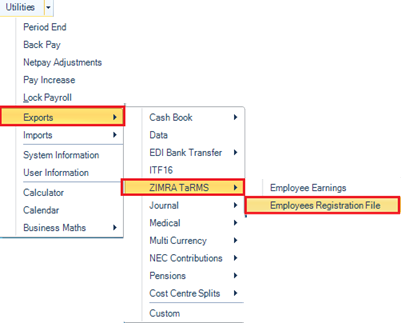
- Go to Utilities → Exports → ZIMRA TaRMS
- Select Employees Registration File
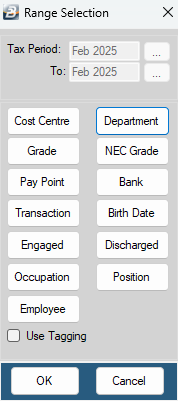
- On the range selection window, click OK, or Use Tagging to filter a specific range of employees.
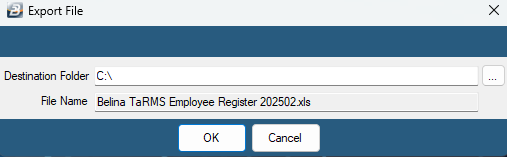
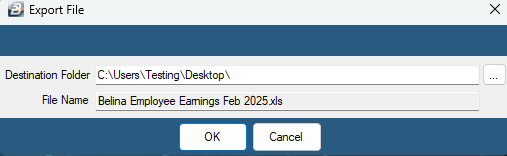
- Confirm the destination folder and file name, then click OK to save
The export only includes the fields Belina can populate in bulk for the ZIMRA TaRMS portal — some required information will need to be entered manually. For upload guidance or errors on the TaRMS platform itself, contact the ZIMRA contact center or your Liaison Officer.
Importing TIN Numbers Into Belina
Once employees are registered on the TaRMS portal and you have their TIN numbers, import them using one of two methods.
Option 1 — Update Individually via Employee Master
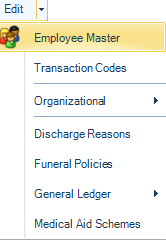
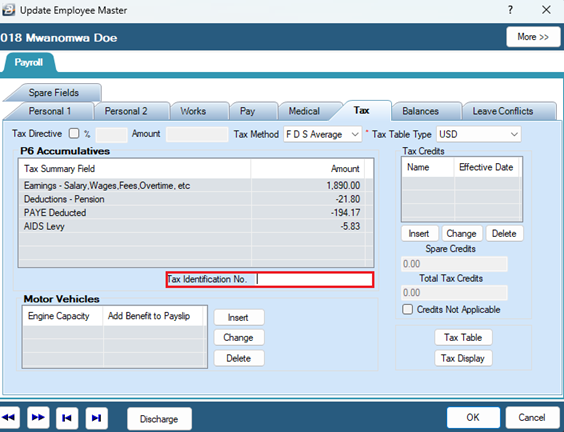
- Go to Edit → Employee Master
- Select the employee
- Open the Tax tab
- Enter the TIN in Tax Identification No.
- Click OK
Option 2 — Bulk Import from Excel
- Create an Excel file with two columns: employee ID numbers, and the corresponding ZIMRA TIN numbers.
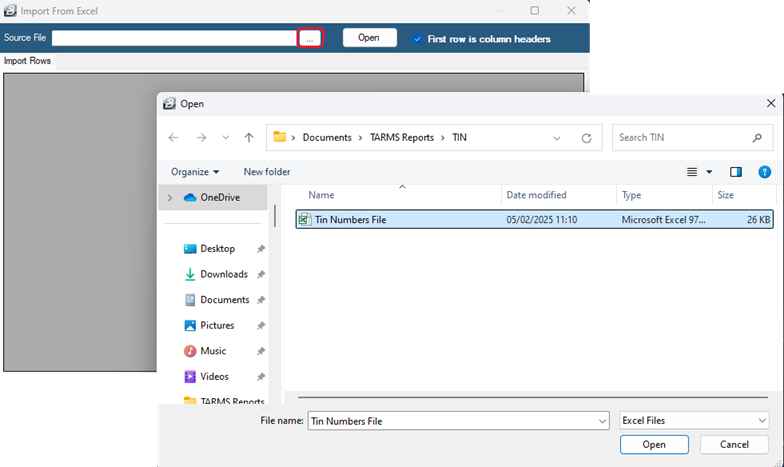
- Go to Utilities → Imports → Excel Spreadsheet
- A backup warning displays — click Yes if a backup exists or isn't required, otherwise back up first
- Use the ellipsis button to browse to and select the file, then Open.
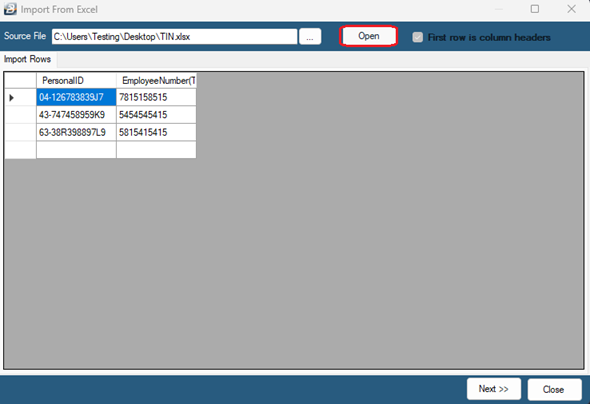
- Review the displayed spreadsheet data, then click Next
- Select Employee TIN update as the Target File type
- Match the Import Field entries on the left to the Target File listings on the right:
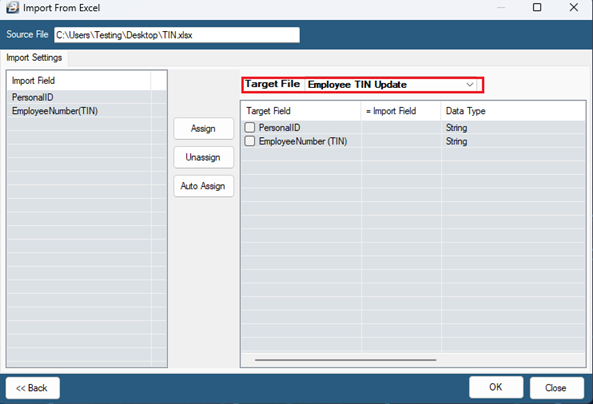
PersonalID → PersonalID
EmployeeNumber(TIN) → EmployeeNumber(TIN)
- Click OK
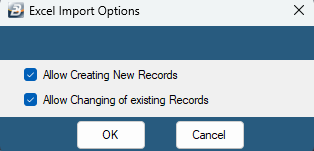
- Select Allow Creating of New Records and Allow Changing of Existing Records
- The import runs and shows a progress report on completion
Checking TaRMS Field Mappings
Every transaction code should be allocated the correct TaRMS field, matching the headings on ZIMRA's PAYE template.
To review or change TaRMS field allocations:
- Go to Setup → Tax → Existing → TaRMS Fields
- Confirm each transaction code has the correct TaRMS Field Description
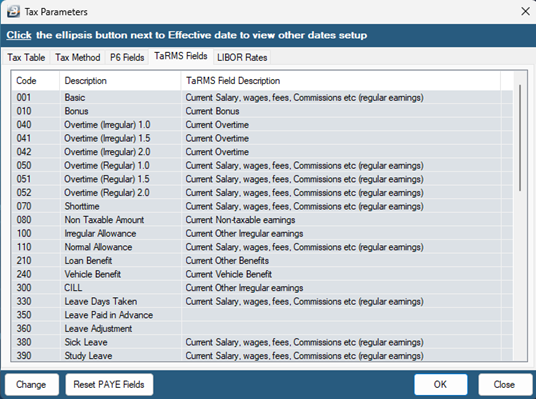
Reference key:
| TaRMS Field Description | What it covers |
|---|---|
| Current Salary, wages, fees, Commissions etc. (regular earnings) | All regular earnings processed every month, e.g. Basic, Allowances, regular overtime |
| Other Exemptions on Current Salary, wages, fees, Commissions etc. | Exemptions on regular earnings |
| Current Overtime | Irregular overtime |
| Current Bonus | Bonus paid that month |
| Current Irregular Commission | Irregular commission, if any |
| Current Other Irregular earnings | Other irregular earnings, e.g. back pay or one-off payments |
| Current Housing Benefit | Housing benefit |
| Current Vehicle Benefit | Vehicle benefit |
| Current Education Benefit | School fees or other educational benefits |
| Current Other Benefits | Other benefits, e.g. fuel, airtime, loan benefit |
| Current Non-taxable earnings | Non-taxable earnings, e.g. repayment of money |
| Current Pension Contributions | Other pensions, e.g. Old Mutual Pension |
| Current NSSA Contributions | NSSA pension contribution |
| Current Retirement Annuity Fund Contributions | Retirement annuity fund contributions |
| Current NEC Subscriptions | NEC levy / trade union / professional subscriptions |
| Current Other Deductions | Other deductions |
| Current Medical Aid Contributions | Medical aid transaction codes |
| Current Medical Expenses | Medical expenses transaction codes |
| Current Blind persons credit | System populated |
| Current Disabled persons credit | System populated |
| Current Elderly person credit | System populated |
To change a field mapping:
- Highlight the transaction code and click Change
- Use the dropdown under PAYE Field to select the correct TaRMS Field Description
- Click OK
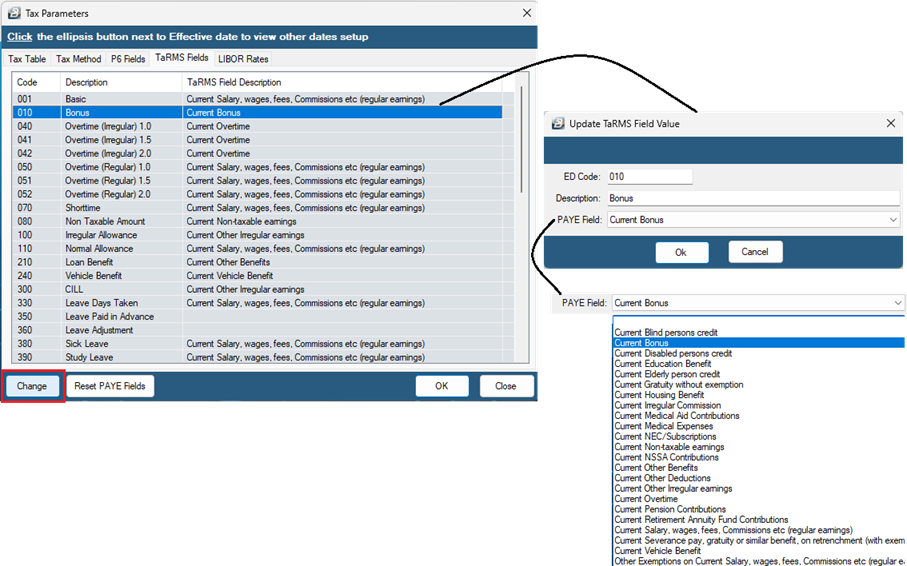
Repeat for any other transaction codes that need updating.
Exporting Employee Earnings
The monthly TaRMS report details employee earnings, allowable deductions, and tax credits for the period.
To produce the report:
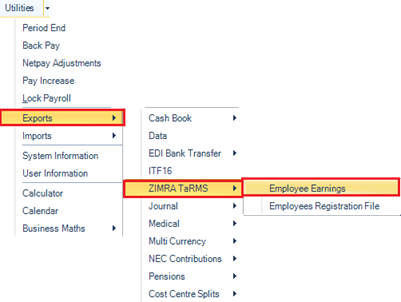
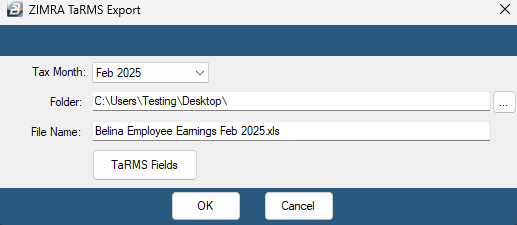
- Go to Utilities → Exports → ZIMRA TaRMS
- Select Employee Earnings
- Select the Tax Month being reported on
- Use the ellipsis button to choose the destination folder
- Accept or change the default file name
- Click OK
- On the range selection window, click OK, or Use Tagging to filter a specific range of employees
- Click OK to save the export file
FDS and Non-FDS employees Employers must submit separate TaRMS export files for FDS and Non-FDS employees under the Employee Management Module. Belina's TaRMS export utility automatically generates two separate files — one for FDS, one for Non-FDS.
Exporting in Consolidation
If you run more than one payroll and want a single consolidated TaRMS export across all of them, use the payroll consolidation feature.
Was this page helpful?