Pension Fund Exports
Belina Payroll HR supports exporting pension contribution data in the format required by a number of pension funds.
The NSSA P4 export is covered separately — see NSSA P4 Report & Export in the NSSA section.
Generating a Pension Export
- Go to Utilities → Exports → Pensions
- Select the fund
- Select the pension Transaction Code(s) whose details are to be exported
- Complete the fields specific to that fund (below)
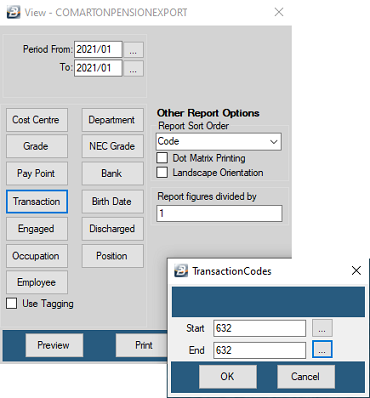
Amzim
| Field | Description |
|---|---|
| Destination Folder | Folder for the export file |
| Filename | Default filename, or a preferred one |
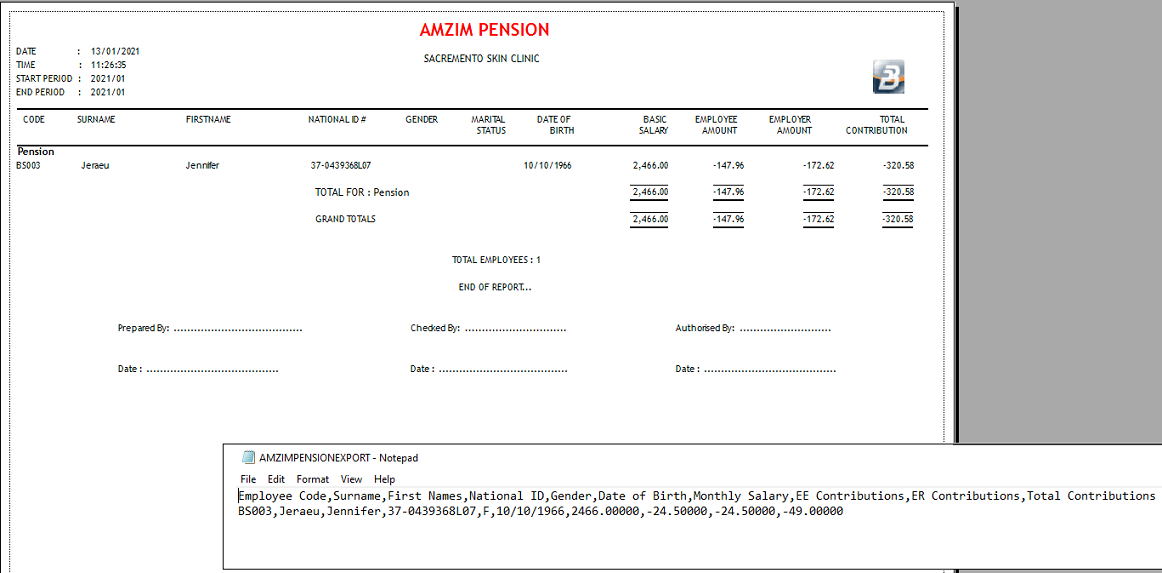
Comarton
| Field | Description |
|---|---|
| Destination Folder | Folder for the export file |
| Filename | Default filename, or a preferred one |
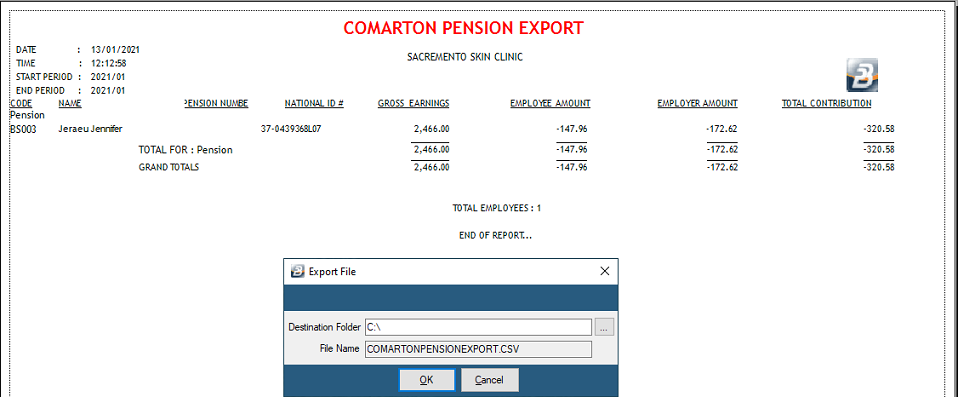
CAIPF
| Field | Description |
|---|---|
| Employer Code | Employer code supplied by CAIPF |
| Mortgage Code | Mortgage code supplied by CAIPF |
| Back Pay Code | Back pay code supplied by CAIPF |
| Total Contributions Base Period | The payroll base period |
| Destination Folder | Folder for the export file |
| Filename | Default filename, or a preferred one |
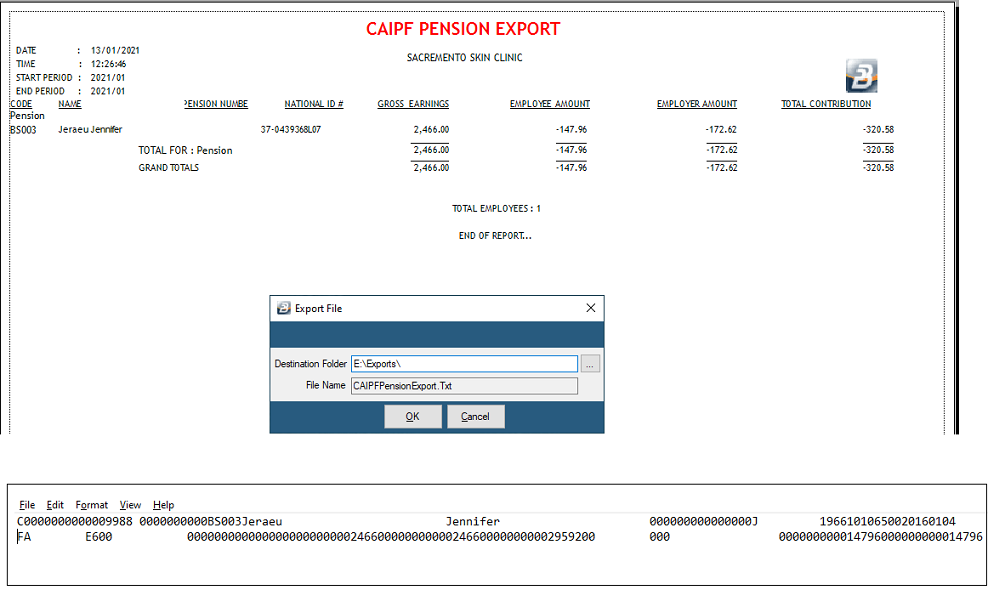
The CAIPF pension export may need liaison between yourself, CAIPF, and Belina support to function correctly.
First Mutual
| Field | Description |
|---|---|
| Destination Folder | Folder for the export file |
| Filename | Default filename, or a preferred one |
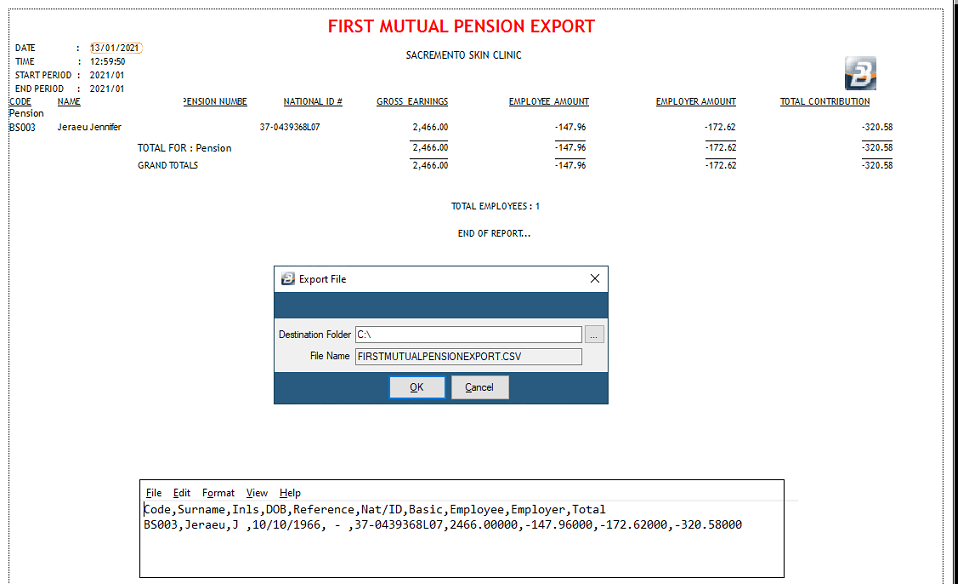
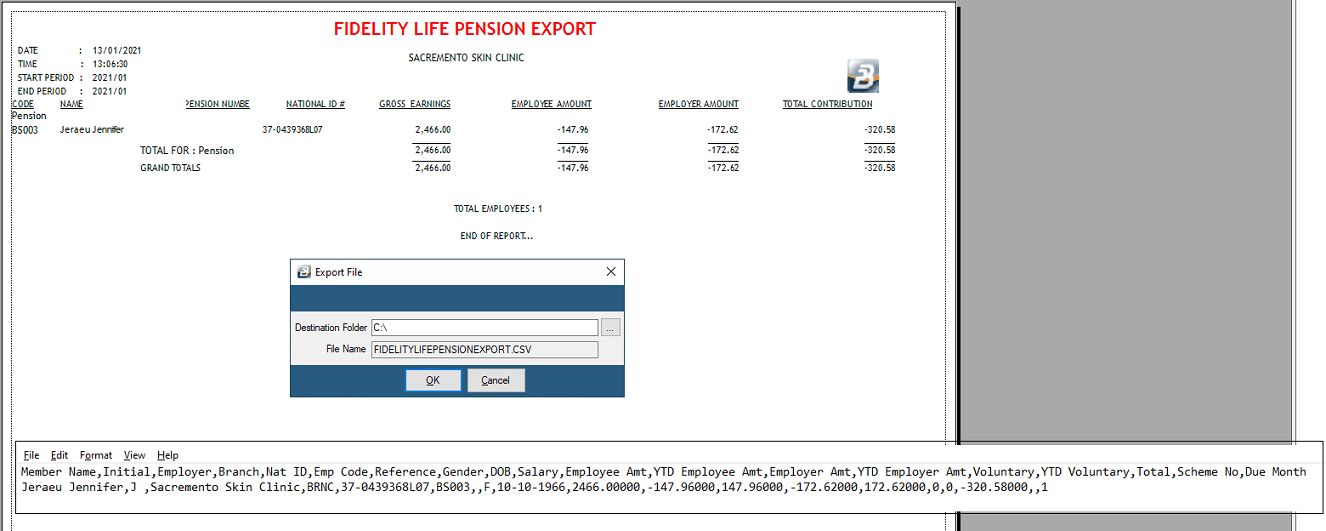
Fidelity Life
| Field | Description |
|---|---|
| Destination Folder | Folder for the export file |
| Filename | Default filename, or a preferred one |
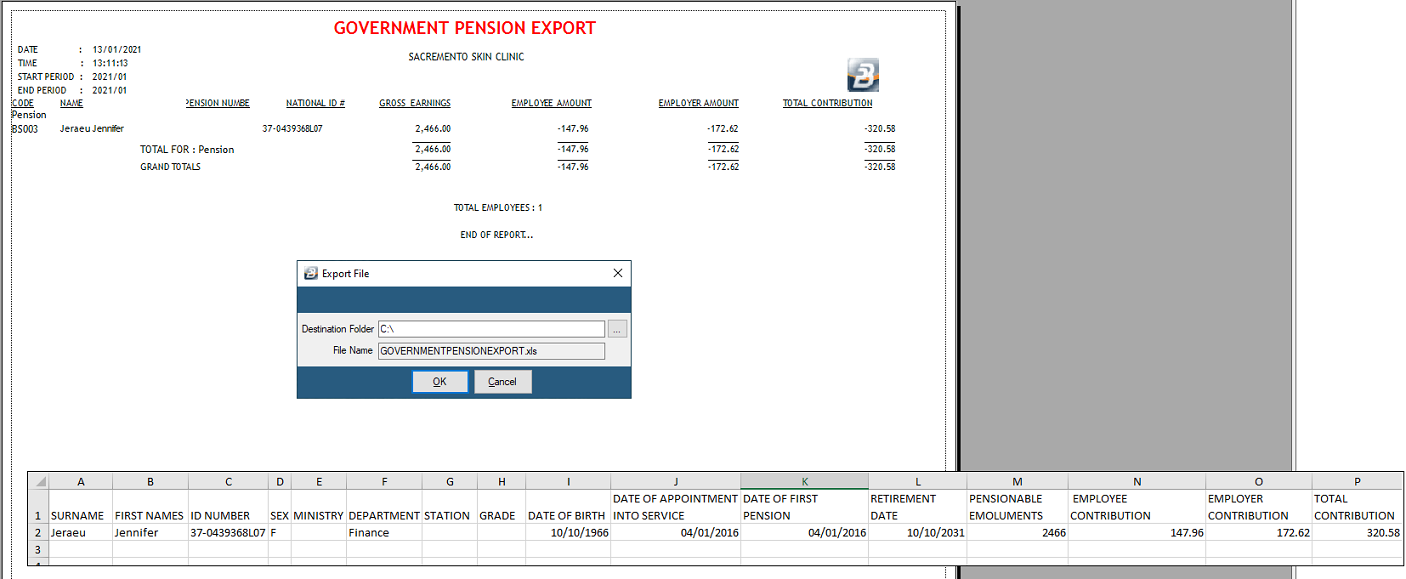
Government
| Field | Description |
|---|---|
| Destination Folder | Folder for the export file |
| Filename | Default filename, or a preferred one |
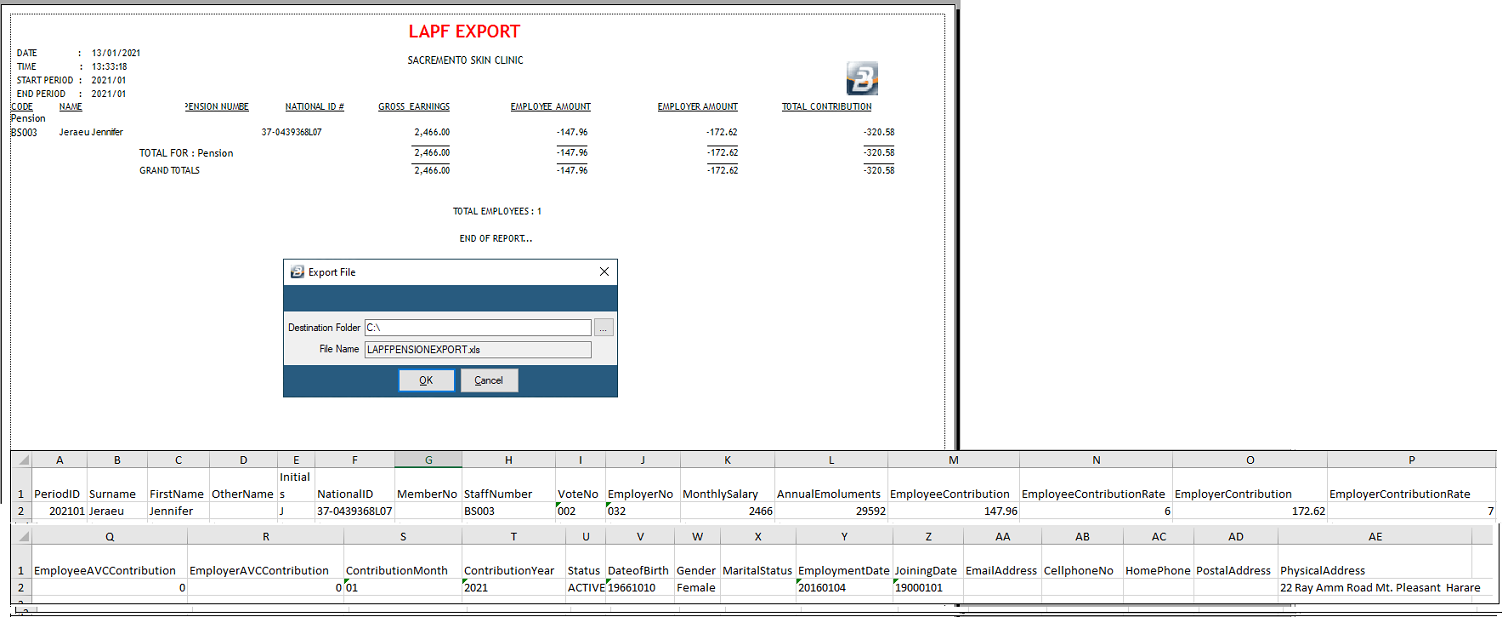
Local Authorities
| Field | Description |
|---|---|
| Authority Number | The Local Authority number |
| Vote Number | The vote number |
| File Version | Select the required file version from the options provided |
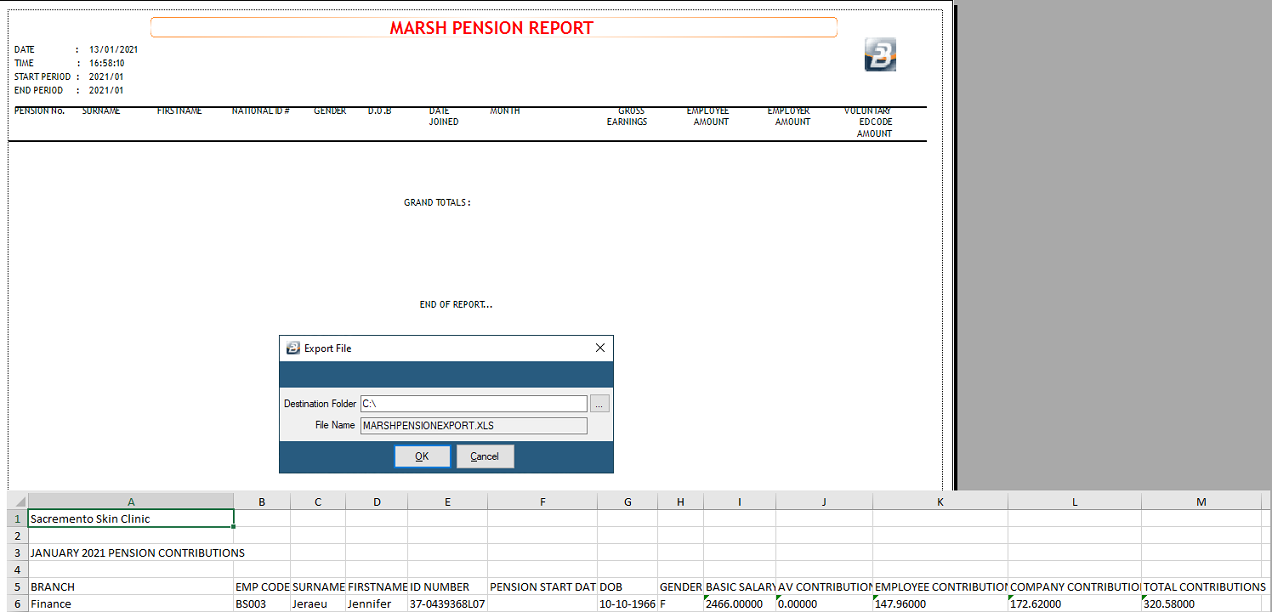
Marsh
| Field | Description |
|---|---|
| Due Month | The export date |
| E/D Normal | Transaction Code range for normal contributions |
| E/D Voluntary | Transaction Code range for voluntary contributions |
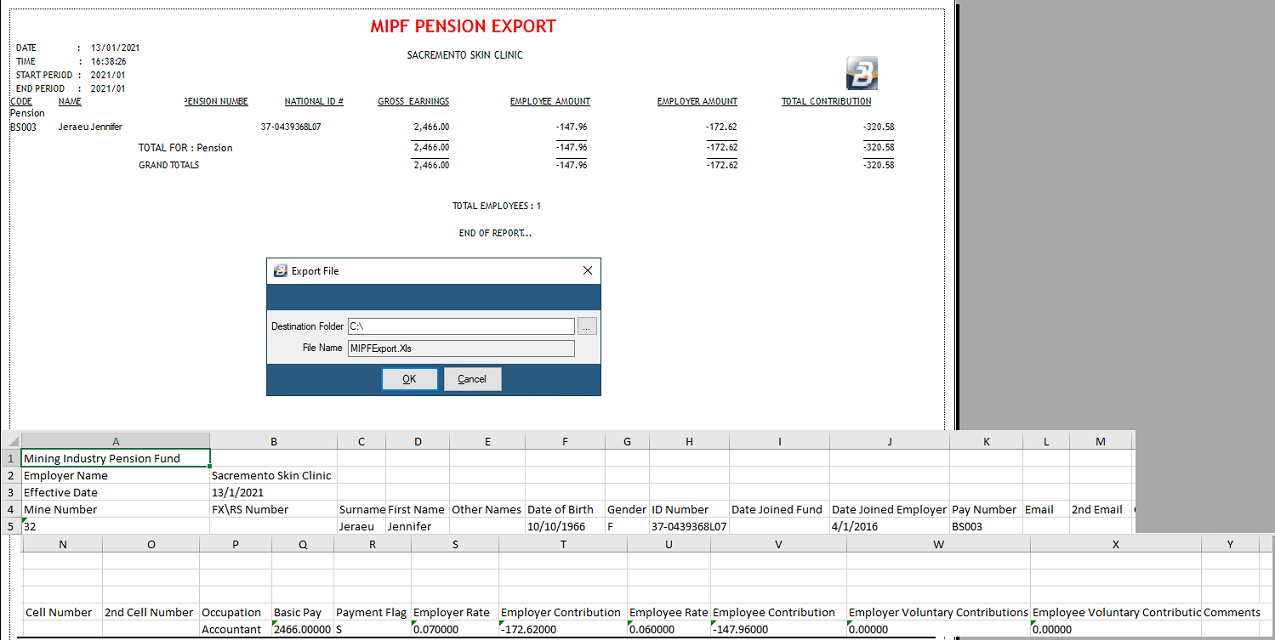
MIPF
| Field | Description |
|---|---|
| Export Date | Date to include in the export file |
| Mine Number | The mine number |
| E/D Normal | Transaction code used to deduct MIPF contributions |
| E/D Voluntary | Transaction code used for voluntary contributions to MIPF |
| Destination Folder | Folder for the export file |
| Filename | Default filename, or a preferred one |
Nyaradzo
| Field | Description |
|---|---|
| Export Date | The date contributions are to be processed by Nyaradzo |
| Pension Code | The pension code Nyaradzo has allocated to the scheme |
| Destination Folder | Folder for the export file |
| File Name | Default filename, or a preferred one |

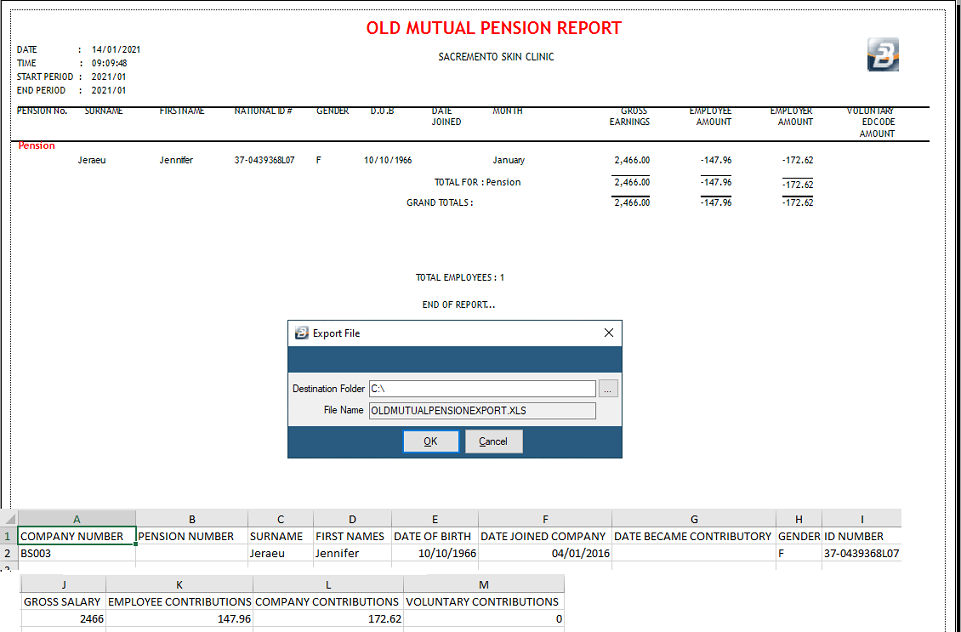
Old Mutual
| Field | Description |
|---|---|
| Due Month | The month contributions are due |
| Scheme No. | Old Mutual scheme number |
| Scheme Name | The name the scheme operates under |
| Branch Code | Old Mutual branch code for the scheme |
| Branch Name | Old Mutual branch name for the scheme |
| Receiver ID | The Old Mutual identification number allocated to the scheme |
| E/D Normal | Transaction code(s) used for Old Mutual contributions |
| E/D Voluntary | Transaction code(s) used for Old Mutual voluntary contributions |
| Export File Type | The preferred layout for the export |
| Export File Type (format) | Excel or text format |
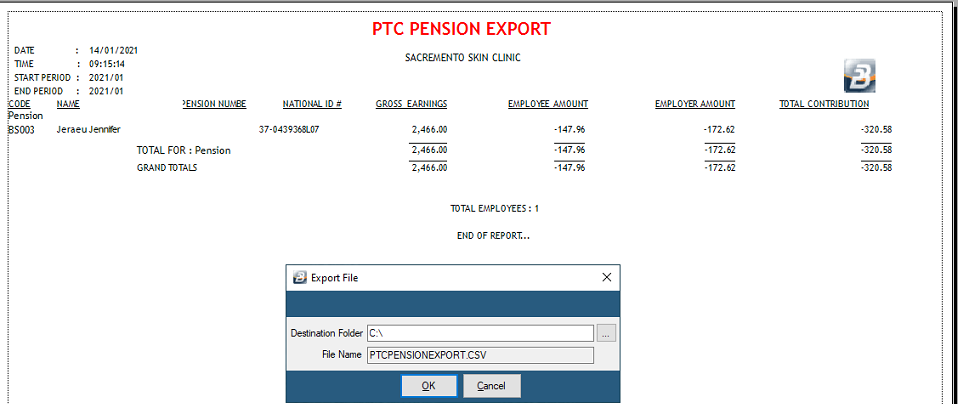
PTC
No configurable export fields beyond the standard fund selection.
Southampton
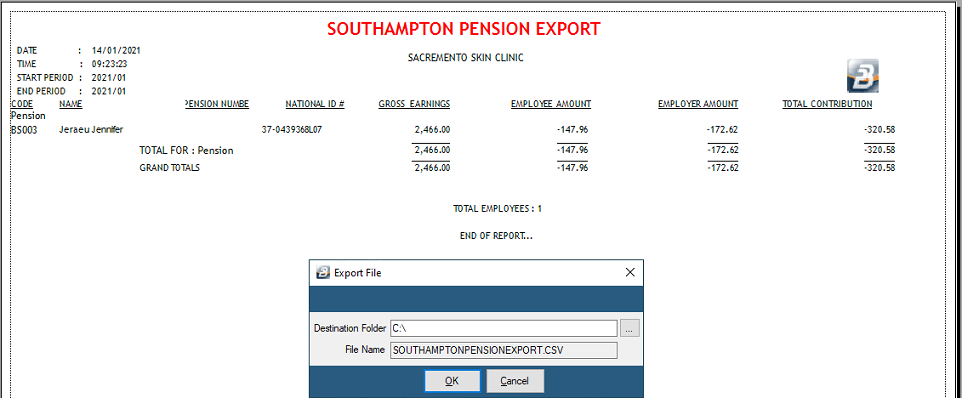
No configurable export fields beyond the standard fund selection.
ZB Life
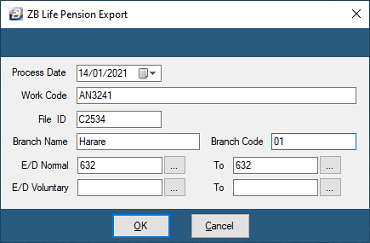
| Field | Description |
|---|---|
| Process Date | The date contributions are to be processed by ZB Life |
| Work Code | The work code allocated to the scheme by ZB Life |
| File ID | The file ID allocated to the scheme by ZB Life |
| Branch Name | The ZB branch used for the fund |
| Branch Code | The ZB Life branch code for that branch |
| E/D Normal | Transaction code(s) used to deduct ZB Life contributions |
| E/D Voluntary | Transaction code(s) used for voluntary contributions to ZB Life |

Zimnat
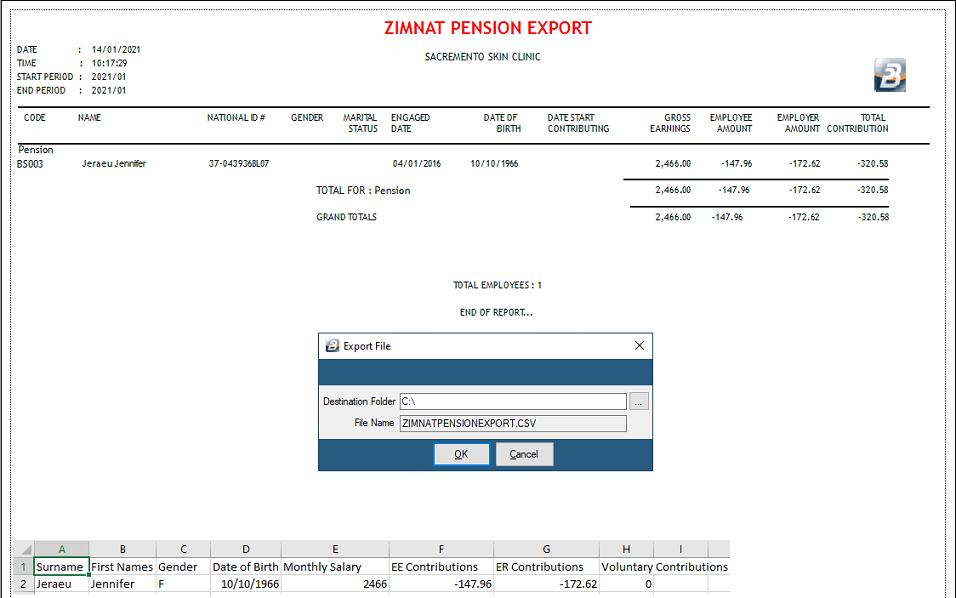
No configurable export fields beyond the standard fund selection.
Was this page helpful?