Funeral Policies
Set up the Funeral Policy Schemes and the contribution rates for the member, spouse, children and dependents.
Step 1 - Enter the Funeral Policy Scheme
- Go to the Edit - Funeral Policies menu options
- From the table of Funeral Policy Schemes click Insert.
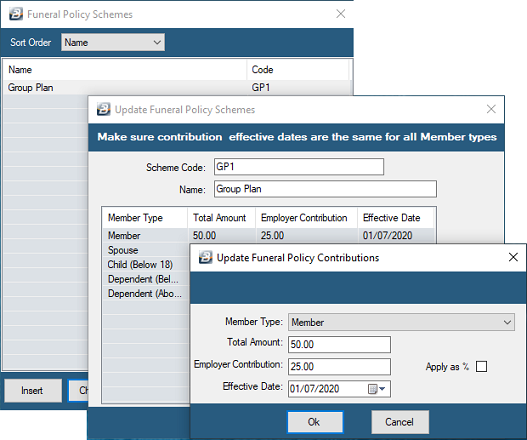
- Enter Funeral Policy Scheme Code and Name.
Step 2 - Enter the Contribution Rates for different member types
Having set-up the Scheme now setup the different member types.
- Click 'Insert' then use the drop-down menu to select the member type and enter the contribution amounts for the employee (and if applicable, the employer).
Step 3 - Allocate the Funeral policy to the employee
See Employee master for the steps to assign the funeral policy to an employee.
Step 4 - Process the Funeral Policy Transaction Code
See Transaction Codes and Payslip Input for the detailed steps on creating and processing the funeral policy contributions.
Was this page helpful?