Company Details
Company details include the address details of the organization used on various reports and the bank details used in automated payments made by the system.
To set up Company Details:
View Written Instructions
To setup the Company details:
- Go to Setup - Company Details
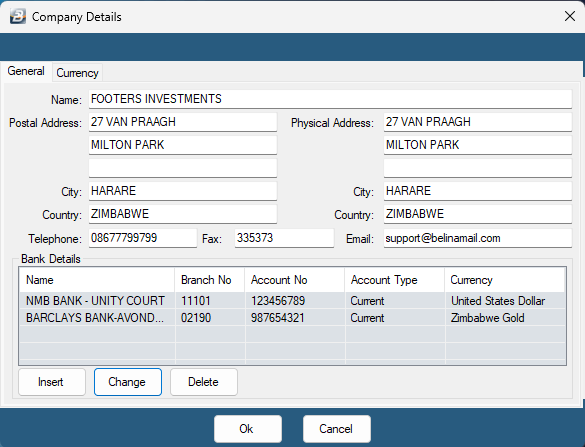
-
Fill in your company details including name, address, and banking information.
-
To add banking details, click Insert
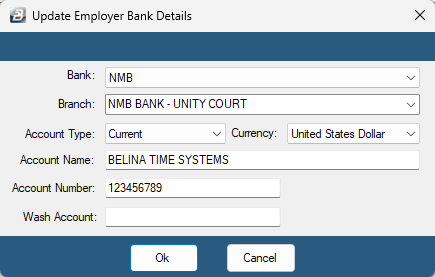
- Proceed to select the Bank, Bank branch, Account Type and Currency type from the dropdown options.
Enter the account from which funds are to be paid for EDI (Electronic Data Interchange) bank transfer. If the Bank that the company uses is not listed, follow these steps to add the bank in the payroll.
- Enter the Account Name, Account number or Wash Account number then click OK to save the bank details.
Company details are entered once and used often in various reports and exports.
Was this page helpful?