Change Password
To change the password for the currently logged in user:
- Go to Setup - Security - Change Password menu options.
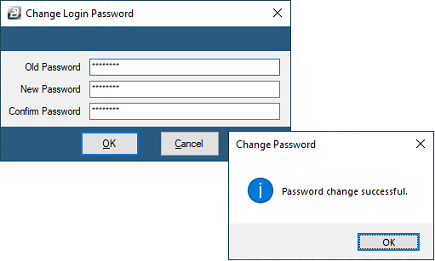
- Enter the old password, the new password and a confirmation of the new password. If the change is successful a message displays, as shown below:
Was this page helpful?